
Top 7 Best HSE Software Worth Considering in 2026
Compare the top 7 HSE software platforms of 2026, including SafetyIQ, Intelex, and Cority. Includes a side-by-side table to evaluate the best HSE compliance software for your team.

Quick answer: The best HSE software in 2026 includes SafetyIQ, Intelex, Enablon, Cority, VelocityEHS, Gensuite, and SafetyCulture. SafetyIQ stands out for field-heavy, distributed teams — construction, mining and metals, oil and gas, transportation, and manufacturing — thanks to mobile-first, offline-capable data capture and a connected view of incidents, audits, training, and corrective actions across every site. The right platform for your organization depends on team structure, site count, industry-specific compliance needs, and whether you need a full safety management system or a narrower point solution.
Health, Safety, and Environment (HSE) software has moved from a "nice to have" to a core piece of operational infrastructure for any organization managing physical risk — construction sites, manufacturing plants, warehouses, mining operations, fleets, and any workplace where injuries, environmental incidents, or compliance failures carry real cost. This guide covers what HSE software actually means, what it should do, how the top platforms compare, and how to evaluate vendors before you commit to one.

What Is HSE Software?
HSE software is a digital platform used to manage health, safety, and environmental processes across an organization — replacing the spreadsheets, paper forms, and disconnected tools that many safety teams still rely on. At its core, it centralizes the day-to-day work of running a safety program: logging and investigating incidents, conducting audits and inspections, tracking corrective and preventive actions, managing training and certifications, and generating the reports needed for internal leadership and external regulators.
HSE Software Meaning Explained
Breaking down the acronym helps clarify what the software is actually built to manage. "Health" covers occupational health concerns like exposure tracking, medical surveillance, and ergonomic risk. "Safety" covers the prevention of workplace injuries and incidents, including hazard identification, incident reporting, and corrective action management. "Environment" covers an organization's environmental impact and compliance obligations, such as emissions tracking, waste management, and environmental permitting. HSE software brings all three of these traditionally separate functions into one connected system, rather than requiring safety, environmental, and occupational health teams to work out of entirely different tools that don't talk to each other.
HSE vs. EHS vs. QHSE
These acronyms are often used interchangeably, and in casual conversation they usually refer to the same general category of EHS management software, but there are subtle distinctions worth knowing. EHS (Environment, Health, and Safety) is functionally identical to HSE — it's simply the same three pillars in a different order, and the choice between the two terms is largely regional and industry convention rather than a meaningful functional difference. QHSE adds a fourth pillar, Quality, and is more common in manufacturing and industrial contexts where product quality management (including CAPA and non-conformance tracking) is managed alongside safety and environmental compliance in a single platform. When evaluating vendors, it's worth checking whether "HSE," "EHS," or "QHSE" in their marketing reflects an actual difference in platform scope, or whether it's simply the term their target market prefers.
Why Organizations Use HSE Software
Organizations adopt HSE software for a combination of risk reduction, efficiency, and compliance reasons. It reduces the administrative burden on safety teams by replacing manual, paper-based processes with structured digital workflows, freeing up time that would otherwise go toward chasing down forms and re-entering data. It improves visibility for leadership, giving safety professionals, directors and executives a real-time view of incident trends, open corrective actions, and training compliance across every site rather than waiting on monthly spreadsheet rollups. It strengthens regulatory compliance by keeping records organized, timestamped, and audit-ready, which matters significantly during an inspection or investigation. And it supports a genuinely proactive safety culture, since trend data surfaced by the software often reveals patterns — a specific shift, site, or task type with disproportionate incident rates — that would be difficult to spot from disconnected paper records.
Core Features of HSE Compliance Software
While platforms vary in scope and depth, most HSE compliance software is built around a common set of core capabilities.
Incident Management
Safety incident management software tools allow employees to report injuries, near-misses, and hazards quickly, often from a mobile device directly at the point of occurrence, and route that report through investigation, root cause analysis, and resolution. Fast, easy reporting matters because incident data is only useful if people actually submit it — a cumbersome reporting process leads to underreporting, which quietly undermines the entire safety program.
Audits and Inspections
Digital safety audit and inspection software tools replace paper checklists with structured, repeatable digital forms, often including photo capture, scoring, and automatic escalation when an inspection uncovers a hazard. This creates a consistent, comparable record across sites and over time, which is difficult to achieve with paper forms that vary depending on who's filling them out.
Training and Certification Tracking
Given how many safety requirements depend on up-to-date training and certifications, most HSE platforms include tools to track completion status, flag expiring certifications before they lapse, and maintain an audit-ready training record for every employee. This is one of the areas where manual tracking fails most often, since a missed renewal date buried in a spreadsheet is easy to overlook until it becomes a compliance gap.
Learn more about SafetyIQ's Safety Training Software >>
Risk Assessment and Job Hazard Analysis
Risk assessment software and job hazard analysis (JHA) tools help teams identify and document potential hazards before work begins, rather than only reacting after an incident occurs. Digitizing this process makes it easier to standardize hazard assessments across similar tasks and sites, and to update them quickly when conditions change.
Corrective and Preventive Action (CAPA) Management
CAPA functionality tracks the actions taken in response to incidents, audit findings, or identified hazards, ensuring that corrective actions are actually assigned, completed, and verified rather than noted once and forgotten. In stronger HSE platforms, CAPA is tightly linked to the incident or audit that triggered it, so there's a clear, traceable record from problem to resolution.
Reporting and Analytics
Dashboards and reporting tools turn raw safety data into something leadership can actually act on — tracking safety metrics like incident rates (TRIR), training compliance, and open corrective actions across sites, teams, or time periods, and generating the specific reports required for regulatory submissions like OSHA record-keeping.
HSE Management Software vs. Point Solutions
One of the more consequential decisions an organization makes when adopting HSE software is whether to choose a full HSE management system or a set of narrower point solutions.
A full HSE management platform covers most or all of the core functions described above — incident management, audits, training, risk assessment, and CAPA — in a single connected system, with data flowing between modules. A point solution, by contrast, typically handles one specific function very well, such as training tracking or incident reporting, but doesn't natively connect to the rest of a safety program.
The tradeoff is fairly consistent across organizations. Point solutions can be faster to implement and sometimes offer deeper functionality within their specific niche, but they create data silos — an incident logged in one tool doesn't automatically inform the training records or audit findings living in a separate tool, which forces teams back into manual cross-referencing that a connected platform is specifically designed to eliminate. For organizations managing safety across multiple sites or a large frontline workforce, a connected HSE management platform generally provides a clearer, more actionable picture of overall risk than a patchwork of disconnected tools, even if it requires more upfront implementation effort.
The 7 Best HSE Software Platforms in 2026
The following platforms represent a strong cross-section of the current HSE software market, from field-first platforms built for distributed frontline teams to established enterprise systems built for large industrial operations.
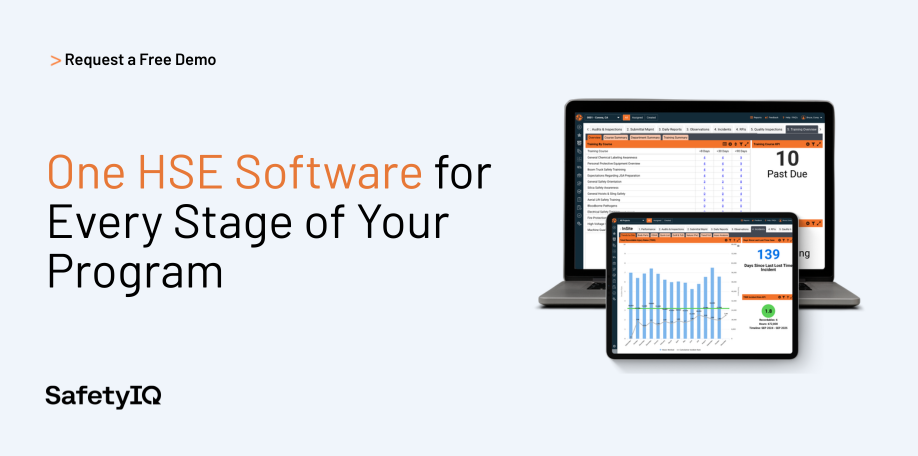
1. SafetyIQ
Best for: Distributed, field-heavy teams in construction, mining and metals, oil and gas, transportation, and manufacturing.
SafetyIQ takes a mobile-first approach to HSE management, built specifically for organizations whose workforce spends most of its time away from a desk. Incidents, audits, inspections, and training records all live in one connected system, with offline data capture that syncs automatically once a device reconnects — a critical feature for remote job sites, mines, and rural operations where reliable connectivity can't be assumed. Corrective actions are generated directly from incidents and audits rather than tracked separately, giving safety leaders a clear, traceable line from a reported hazard to its resolution. Real-time dashboards give safety managers visibility across every site and crew without waiting on manual reporting rollups, which is particularly valuable for organizations managing safety across a large number of dispersed locations.
Key features: Mobile and offline incident and audit capture, CAPA tied directly to incident/audit root cause, OSHA record-keeping and compliance reporting, real-time cross-site dashboards, training and certification tracking with expiration alerts.
Website: safetyiq.com
2. Intelex
Best for: Large enterprises needing a highly configurable, modular EHS system.
Intelex offers a broad, modular EHS and quality management platform that large organizations can configure extensively to match existing processes. Its strength lies in flexibility and depth across a wide range of modules — incident management, audits, management of change, and more — though that same configurability can mean a longer implementation timeline compared to more out-of-the-box platforms, since getting full value out of the system typically requires more upfront configuration work.
Key features: Highly configurable module library, incident and audit management, management of change workflows, sustainability and ESG reporting add-ons.
3. Enablon
Best for: Multinational enterprises with complex regulatory and sustainability reporting needs.
Enablon, part of Wolters Kluwer, is an enterprise-grade EHS and sustainability platform commonly used by large, multinational organizations with significant environmental reporting requirements alongside their safety program. It's well suited to organizations that need to manage sustainability metrics and ESG reporting in the same system as their day-to-day safety operations, particularly those operating across multiple countries with varying regulatory frameworks.
Key features: Global regulatory content library, sustainability and ESG reporting, risk management modules, enterprise-scale configurability.
4. Cority
Best for: Organizations prioritizing occupational health alongside safety and environmental management.
Cority places particular emphasis on occupational health management — including medical surveillance, exposure tracking, and industrial hygiene — in addition to standard safety and environmental modules, making it a strong fit for industries with significant occupational health exposure risks, such as manufacturing, oil and gas, and heavy industry, where employee health monitoring is as central to compliance as incident tracking.
Key features: Medical surveillance and occupational health records, exposure and industrial hygiene tracking, incident and audit management, ESG reporting capabilities.
5. VelocityEHS
Best for: Mid-sized to large organizations wanting strong ergonomics and chemical management alongside core EHS features.
VelocityEHS is known for particularly strong ergonomics and industrial hygiene tools, along with a well-regarded chemical management and SDS (Safety Data Sheet) management module, in addition to its broader EHS management capabilities. This makes it a common choice for organizations where chemical handling and ergonomic risk are significant parts of the overall safety picture, not just incident and audit tracking.
Key features: Chemical and SDS management, ergonomics risk assessment tools, incident and audit management, environmental compliance tracking.
6. Gensuite
Best for: Manufacturing and industrial organizations wanting a configurable, checklist-driven platform.
Gensuite offers a modular EHS platform widely used in manufacturing and industrial settings, with a strong emphasis on configurable checklists, audits, and compliance tracking tailored to specific regulatory requirements across different industries and regions. Its module marketplace approach lets organizations add capabilities incrementally as their program matures rather than committing to a full suite upfront.
Key features: Configurable checklist and audit builder, modular add-on marketplace, regulatory compliance tracking, incident management.
7. SafetyCulture
Best for: Teams wanting a simple, checklist-first digital inspection tool.
SafetyCulture, built around its widely used digital checklist and inspection app, is a strong fit for organizations that primarily need a straightforward way to digitize inspections and audits rather than a full end-to-end HSE management system. It's often used as a lighter-weight entry point into digital safety management, sometimes alongside a more comprehensive platform for organizations with more complex needs, thanks to its ease of adoption and low training overhead for frontline teams.
Key features: Digital checklist and inspection builder, photo-based issue reporting, basic corrective action tracking, mobile-first design.
Top 7 HSE Software Comparison Table
The table below summarizes how these seven platforms compare across the criteria most organizations care about most: primary strength, best-fit organization type, and mobile/offline capability.
How to Evaluate HSE Software Vendors
Choosing the right HSE platform is less about finding the single "best" system on the market and more about finding the best fit for your organization's specific structure and risks.
Key Evaluation Criteria
Start by mapping the vendor's capabilities against your actual workflow rather than a generic feature checklist. Consider whether your workforce is primarily desk-based or field-based, since that significantly affects whether mobile and offline functionality should be a priority rather than a nice-to-have. Look closely at how well the platform's modules connect to each other — a system where incident management, CAPA, and training all share data is generally more useful day to day than one where each module operates in isolation. Check what reporting and compliance templates come built in for your specific industry and region, since building custom reports from scratch adds ongoing overhead. And consider implementation timeline and support, since even a feature-rich platform delivers little value if your team struggles to get it fully adopted.
Questions to Ask Vendors
A short, direct set of questions during vendor evaluation tends to surface the most useful information: How does the platform handle offline use in areas with poor connectivity? How is corrective action tracking connected to incident and audit records, rather than managed as a separate module? What does a typical implementation timeline look like for an organization of our size? What specific compliance reports come pre-built, and which would require custom configuration? And can we speak with a current customer in our industry with a similar site count and workforce structure? Vendors confident in their platform are generally willing to provide clear, specific answers to all of these rather than vague, marketing-oriented responses.
Why Buy HSE Software Instead of Building It In-House
For organizations with in-house engineering resources, building a custom safety tracking system can seem like an appealing alternative to a vendor subscription, but in practice, buying purpose-built HSE software is almost always the more practical choice, for several concrete reasons.
Compliance requirements change regularly, and a vendor with dedicated regulatory expertise and a wide customer base updates their platform to reflect those changes far faster than an internal team juggling other engineering priorities can realistically keep up with. Mobile and offline functionality, which is critical for field-heavy organizations, is genuinely difficult and expensive to build and maintain well — established vendors have already solved problems like conflict resolution during data sync that an internal build would likely encounter for the first time under real-world conditions.
Purpose-built HSE platforms also come with years of accumulated best practices baked into their workflows, from how incident investigations are structured to how corrective actions are escalated, which represents a significant head start compared to designing these workflows from scratch. And from a pure cost perspective, the ongoing maintenance, security, and feature development burden of a custom-built system frequently exceeds the cost of a vendor subscription once the true cost of internal engineering time is accounted for, especially since safety software isn't typically a core differentiator worth an organization's limited internal development capacity. For most organizations, buying lets safety and engineering resources both focus on what they do best rather than splitting attention across building and maintaining internal tooling that a specialized vendor has already built, tested, and refined across many other customers.
Frequently Asked Questions About HSE Software
What does HSE software actually mean and what does it do?
HSE software is a digital platform built to manage the three core pillars its name refers to: Health, Safety, and Environment. In practice, this means the software centralizes the day-to-day operational work that used to live across spreadsheets, paper forms, and email — incident and near miss reporting, audits and inspections, corrective and preventive action tracking, training and certification management, occupational health monitoring like exposure tracking and medical surveillance, and environmental compliance activities such as emissions and waste tracking.
Rather than treating these as separate functions handled by separate teams with separate tools, HSE software connects them into one system, so an incident report can automatically trigger a corrective action, and a completed audit can flag a training gap that needs to be addressed. The practical result is that safety, health, and environmental data all live in one place, giving leadership a single, real-time view of organizational risk instead of having to manually stitch together updates from multiple disconnected sources. For organizations managing physical risk — construction, manufacturing, mining, transportation, and similar industries — this consolidation is what makes HSE software valuable well beyond simple record-keeping: it turns scattered compliance activity into an actual system for reducing incidents and proving due diligence.
What's the difference between HSE software and HSE management software?
In most cases, these terms describe the same category of platform, and vendors tend to use them interchangeably in their marketing. That said, "HSE management software" sometimes signals a broader, more comprehensive system — one that covers the full range of health, safety, and environmental functions in a connected way — as opposed to a narrower point solution that might only be described simply as "HSE software" or "safety software" while actually handling just one function, like inspections or training tracking.
The more useful distinction to focus on isn't the terminology itself but the underlying architecture: does the platform connect its modules so that data flows between incident management, audits, CAPA, and training, or does it function as a single-purpose tool that happens to sit in the broader HSE category? A true HSE management system is built around that connected data model, which is what allows a safety leader to see, for example, how a spike in incidents at a specific site correlates with lapses in training compliance at that same site — a connection that's difficult or impossible to make when the underlying data lives in separate, disconnected tools regardless of what marketing term is printed on each one.
What should you look for in HSE compliance software specifically?
HSE compliance software should, at minimum, give your organization a reliable, audit-ready record of the activities regulators and internal leadership actually check during an inspection or review. That starts with structured incident and near-miss reporting that captures what happened, when, and what corrective action followed, since incomplete or inconsistent incident records are one of the most common findings during regulatory audits.
It should include digital audit and inspection tools that standardize how checks are performed across sites, rather than relying on paper forms that vary depending on who fills them out. Training and certification tracking is essential too, since expired certifications are a frequent, entirely preventable compliance gap when tracked manually in spreadsheets. Beyond these core functions, strong compliance software should generate the specific reports your industry and regulators require — OSHA recordkeeping forms in the U.S., for example — without requiring manual data reformatting each time a report is due.
Finally, look for a system that timestamps and preserves a clear audit trail for every record, since the ability to show exactly when an action was taken, by whom, and what happened next is often what actually protects an organization during a regulatory investigation or legal dispute, more than the existence of the record alone.
How do you evaluate HSE software vendors before choosing one?
Evaluating HSE software vendors effectively starts with mapping their capabilities against your organization's actual day-to-day workflow, rather than comparing generic feature lists side by side. Begin by considering whether your workforce is primarily desk-based or field-based, since that determines how much weight to put on mobile and offline functionality — a feature that matters enormously for a distributed construction or field-service team and far less for an office-based operation. Look closely at how well a vendor's modules genuinely connect to each other, since a system where incident management, CAPA, and training share data in real time delivers far more day-to-day value than one where each module operates as an isolated silo, even if both are marketed under the same HSE platform name.
Ask about built-in compliance reporting for your specific industry and region, since building custom reports from scratch adds ongoing overhead that a good platform should minimize rather than create. It's also worth directly asking vendors pointed questions: how the platform handles poor connectivity in the field, how corrective actions are tied back to the incidents or audits that triggered them, what a realistic implementation timeline looks like for an organization your size, and whether they can connect you with a current customer in a similar industry with a comparable site count. Vendors confident in their platform typically answer these questions specifically and directly, while vague or deflected answers are often a signal worth taking seriously before committing to a long-term contract.
Why buy HSE software instead of building it in-house?
While building a custom safety tracking tool can seem appealing to organizations with in-house engineering resources, purpose-built HSE software is almost always the more practical choice once the full picture is considered. Regulatory requirements change regularly, and an established vendor with dedicated compliance expertise and a broad customer base updates their platform to reflect those changes far faster than an internal team balancing other engineering priorities realistically can. Mobile and offline functionality — essential for field-heavy organizations — is genuinely difficult to build well; vendors have already solved edge cases like data-sync conflict resolution that an internal team would likely encounter for the first time under real operating conditions, often at the worst possible moment.
Established platforms also come with years of accumulated best practices already built into their workflows, from how incident investigations are structured to how corrective actions escalate when they're overdue, representing a significant head start over designing these processes from scratch. And from a pure cost standpoint, the ongoing burden of maintaining, securing, and continuing to develop a custom-built system frequently exceeds the cost of a vendor subscription once the true cost of internal engineering time is factored in — time that could otherwise go toward work that's actually core to the business. For most organizations, buying allows both safety and engineering teams to focus on what they do best, rather than splitting attention across building and indefinitely maintaining internal tooling that a specialized vendor has already built, tested, and refined across many other customers facing the same problems.
SafetyIQ brings incidents, inspections, training, journey management, lone worker safety and fatigue into one mobile app. Tell us about your crews and sites for tailored pricing.
Safety insights, straight to your inbox
New guides, monthly safety topics and SafetyIQ updates for EHS and operations leaders. Unsubscribe anytime.



Get a demo built around your sites, your teams, and the way your people work.
EHS, journey, and fatigue management software for field-heavy teams.

.png)

.png)