Safety Audit and Inspection Software
Plan, Run and Track Every Audit and Inspection From One Place
Plan, run and track audits and inspections from one platform your crews will use, so you close gaps faster and stay audit-ready year-round.





Crews complete inspections on the job, and supervisors get the findings, actions and evidence without chasing paperwork.
Works Where Your Crews Work
Inspect from any phone or tablet, even without signal. Findings sync automatically once you are back online.
From Finding to Fix in One Flow
Photos, signatures and corrective actions are captured inside the inspection, with owners and deadlines tracked until closed.
Consistent Across Every Site
Shared templates with scored, grouped and conditional questions replace each site's own version of the form.
Audit-Ready, Every Day
Every audit is timestamped, numbered and tied to its open issues, so the evidence for regulators is already there.
Inspect, Act and Prove It, All in One Place
One flow from the first checklist question to the report your auditors ask for.
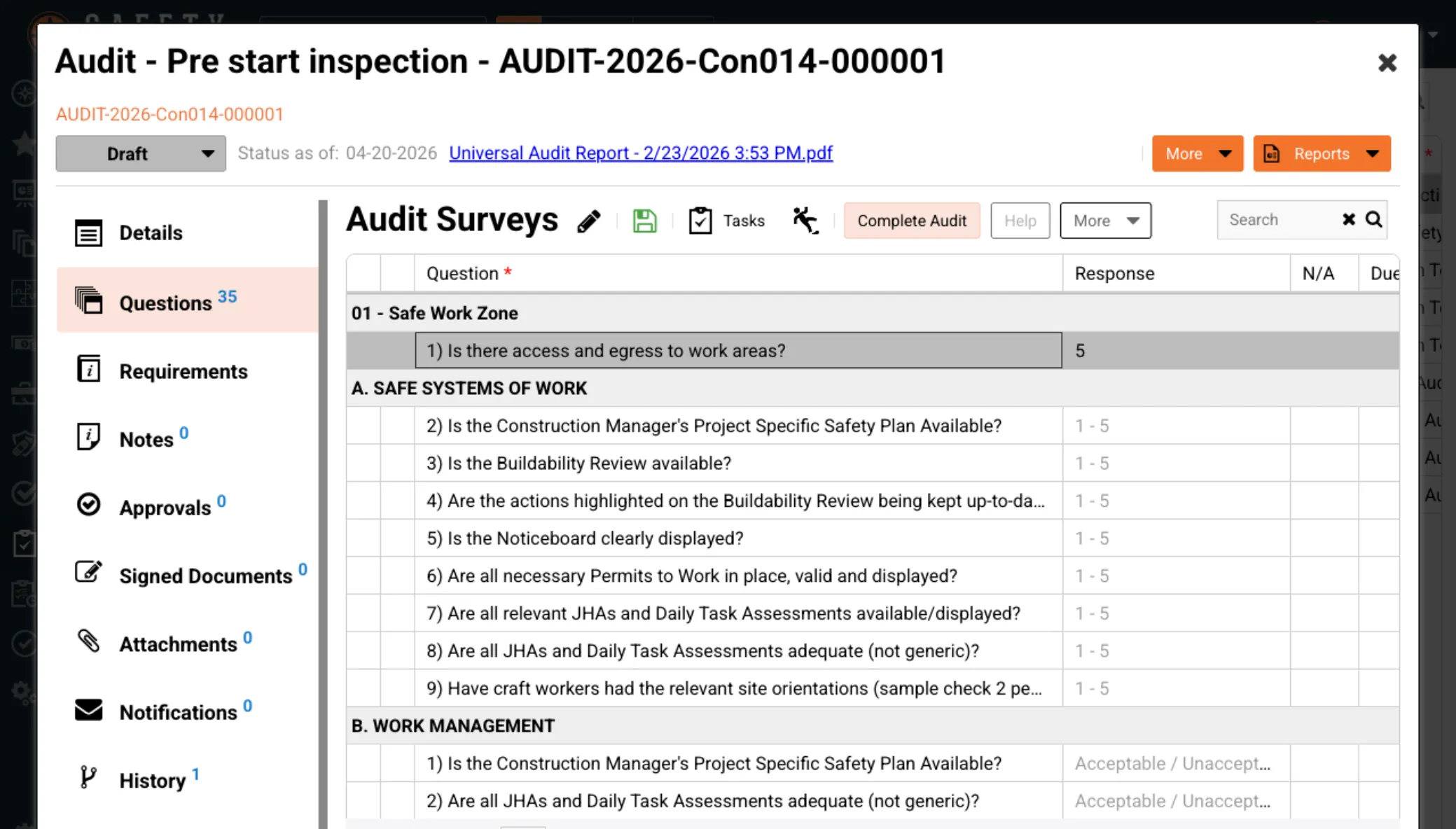
Run Structured, Scored Inspections
Start from a template or build your own, with scored responses, grouped sections and conditional questions.
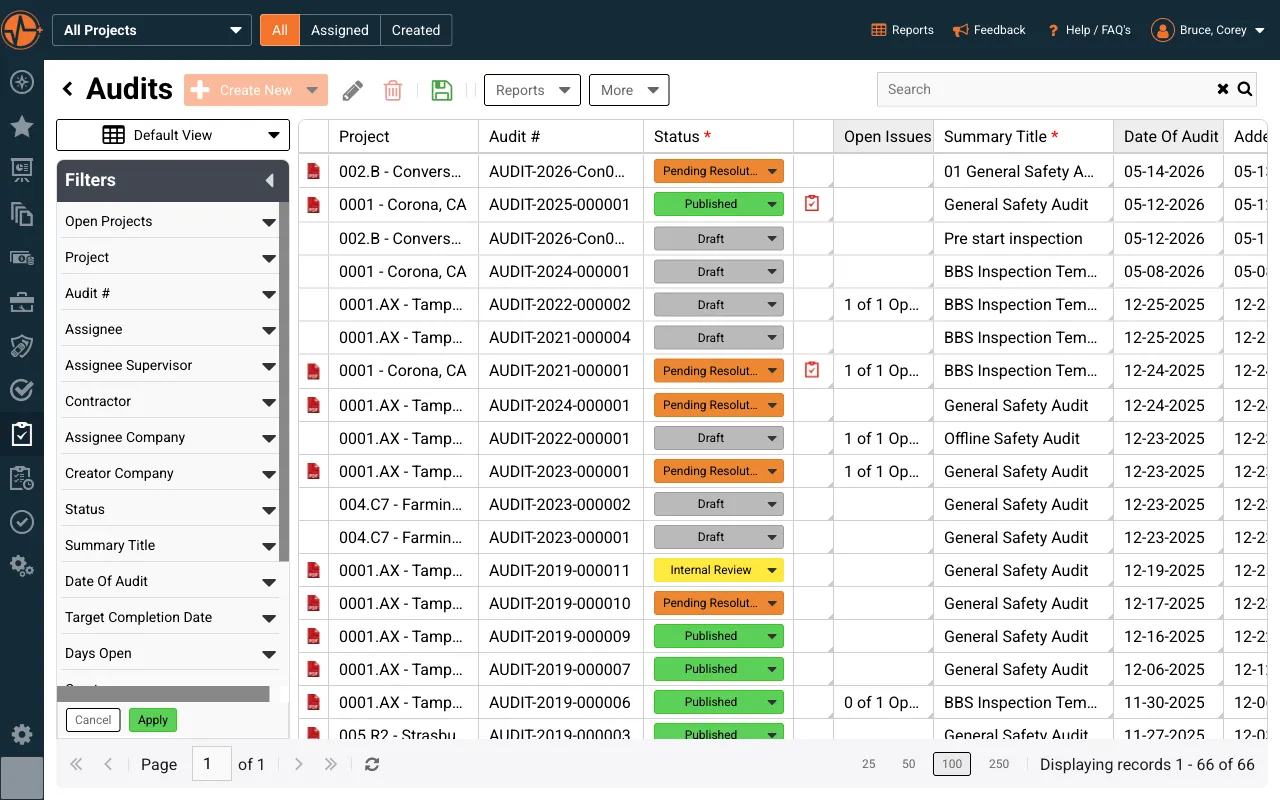
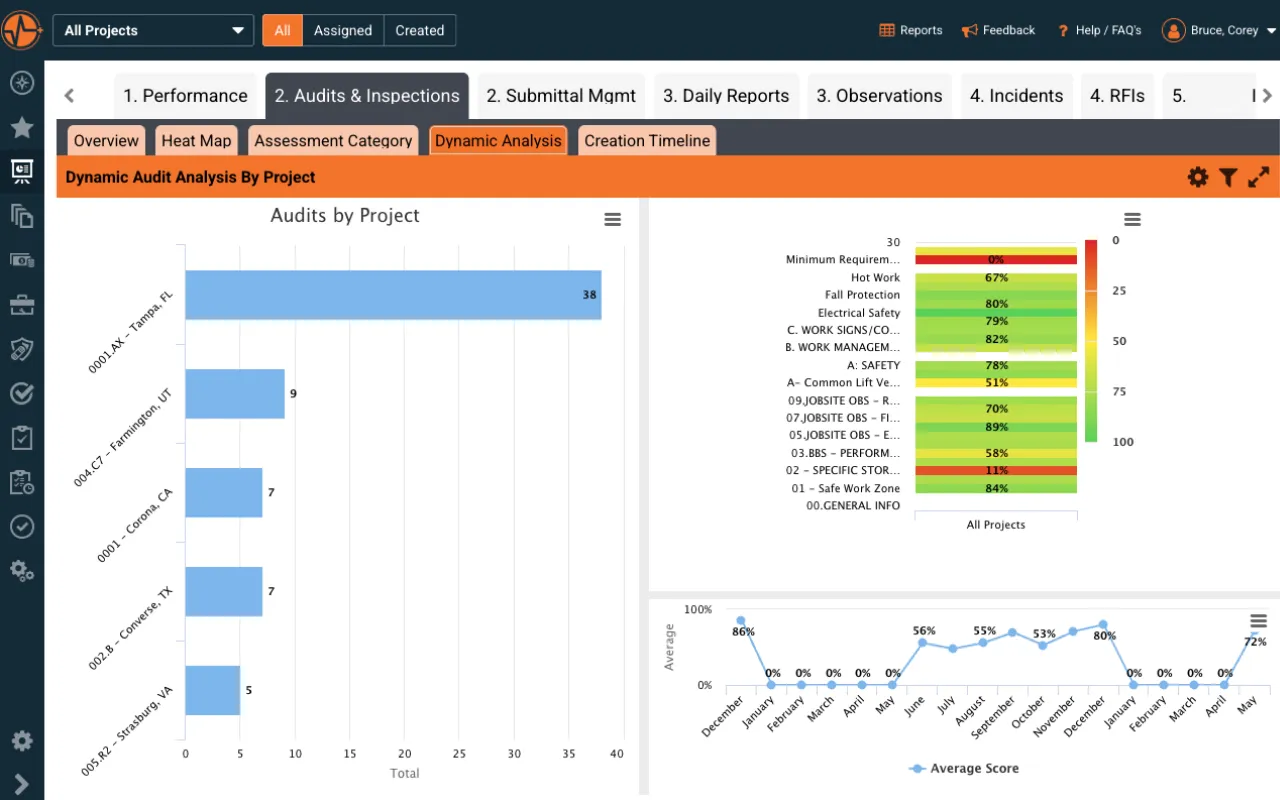
See Every Audit and Every Open Issue
Track each audit from draft to closed across all your sites and projects in a single view.
Spot Trends Before They Become Incidents
Compare audit scores by site and category, and watch how they move month over month.
From First Question to Closed Finding, Every Time
Every audit follows the same path, so findings never stall between the inspection and the fix, and every step is on the record.
Plan
Start from a template or build your own, with scored, grouped and conditional questions.
Inspect
Crews complete inspections on any phone or tablet, even without signal.
Capture
Photos, notes and signatures are captured inside the inspection.
Act
Findings become corrective actions with owners, due dates and reminders.
Verify
Reminders continue until every action is verified and closed.
Prove
Timestamped, audit-ready reports are ready the moment an inspection closes.
What Changes When Inspections Leave the Clipboard
Paper forms and spreadsheets get the inspection done. Everything after it is where findings slip through.
Capturing Findings
Photos, notes and signatures are captured inside the inspection, instead of retyped from clipboards back at the office.
Corrective Actions
Actions are assigned with owners and due dates, with reminders until verified and closed, instead of lost in emails.
Audit Evidence
Every audit is numbered, timestamped and tied to its open issues, instead of scattered across folders and inboxes.
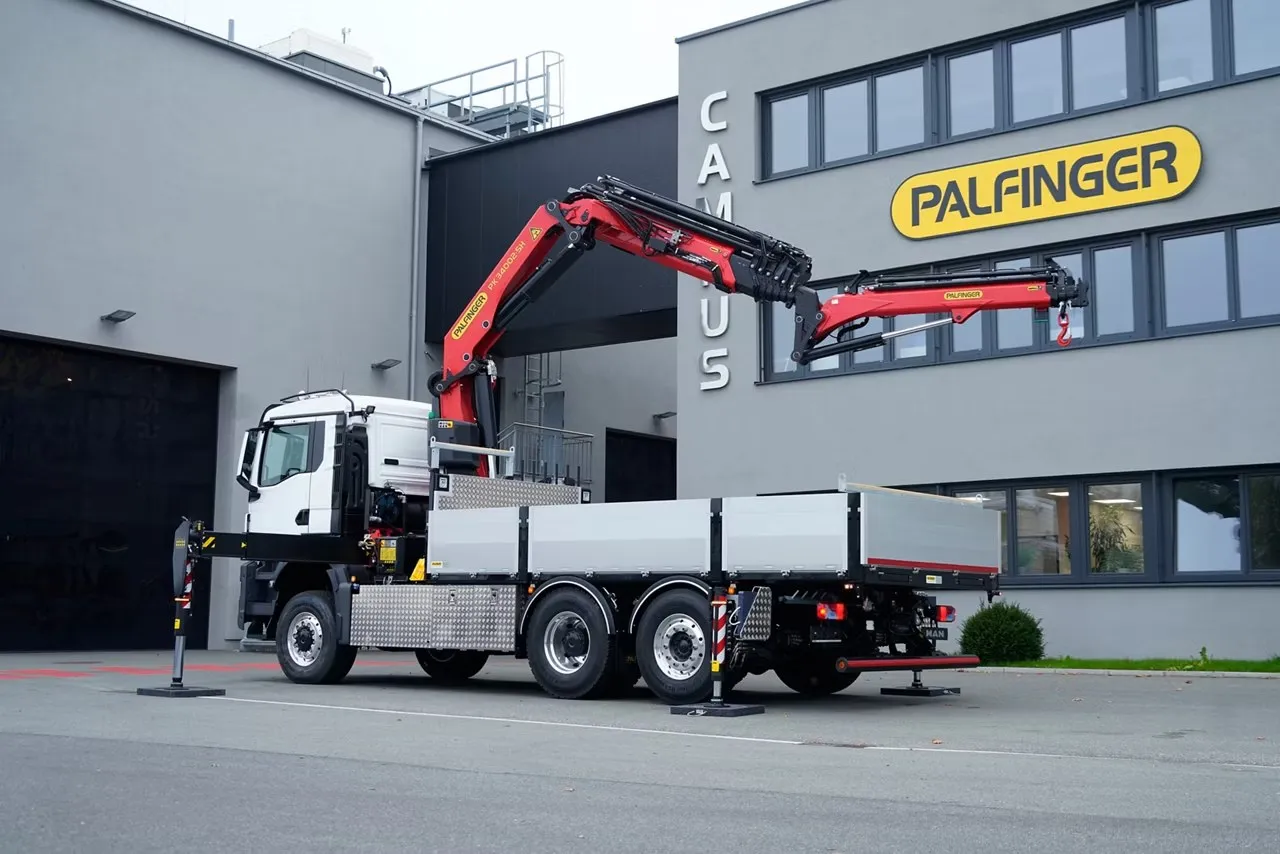
Palfinger replaced spreadsheets and paper forms with one system for audits, inspections, incidents and observations, moving its aerial lift truck division from reactive to preventative safety.
“Workers Comp direct cost alone has been reduced by almost one million dollars in the last two years, so I would say there is plenty of evidence of what a good safety management system can do to benefit a company.”
Get the Free EHS Audit Checklist
A ready-to-use internal audit template to check compliance and find the gaps in your safety processes.
Start with the modules you need today and add more as your safety program grows, all on one connected platform.
View All Modules›Audits & Inspections
Mobile checklists and inspections, with corrective actions tracked to close-out.
Incident Management
Report, investigate and close out incidents faster, with a full record of every step.
Safety Observations
Capture behaviors, hazards and near misses from the field in seconds.
Training Management
Keep certifications current and see who is trained for every task.
Journey Management
Plan, track and escalate every trip, with alerts the moment a check-in is missed.
Risk Management
Assess, rate and control risks with consistent assessments across every site.
Trusted by Safety Teams in the Toughest Industries
Rated highly by the people who use it every day, from the field to the boardroom.

“The user interface looks clean and is easy to use, and the technical support from the SafetyIQ team has felt like a partnership from day one.”

“We have found SafetyIQ to be a functional, practical solution that works well for us.”
“The transition was one of the easiest undertaken for change management, with excellent support from the SafetyIQ team.”


Safety Audit and Inspection Software FAQs
What Is the Purpose of Safety Audits and Inspections?
+
Why Is It Important to Use Software for Safety Audits and Inspections?
+
How Does SafetyIQ's Audit and Inspection Software Improve Visibility and Accountability?
+
Can SafetyIQ Help With Regulatory and Certification Requirements?
+
How Does SafetyIQ Make Corrective Actions More Effective?
+
Speak with a SafetyIQ expert to see how one connected platform can keep your people safe, from the start of every shift to the end of every job.
Request a Demo›EHS, journey, and fatigue management software for field-heavy teams.


